


Flight training happens in a lot of places: the briefing room, the apron, the cockpit, the office and the crew room. Until now, most of OY Wings lived in a browser. Today it comes to every screen you use, with native apps for iPhone, iPad, Mac, Apple Watch and Apple TV.
Every app signs in with your existing OY Wings account, so the schedule, lessons and fleet you already keep in OY Wings are simply there, wherever you happen to be. Here are the apps in 90 seconds:
iPhone: Your Day at the Airfield
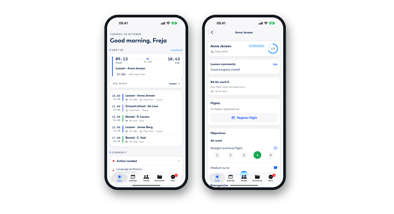
The iPhone app is built for the moments between the briefing room and the aircraft:
- Today at a glance: what's next, your bookings, your currency and the fleet on one screen.
- Calendar and bookings: every booking in the school by day or week, and new bookings in a few taps.
- Pre-flight brief: weather, the aircraft's status and your currency, checked before you walk out.
- Lessons: score objectives while the flight is still fresh.
- Map: airspace and live traffic around your airfield.
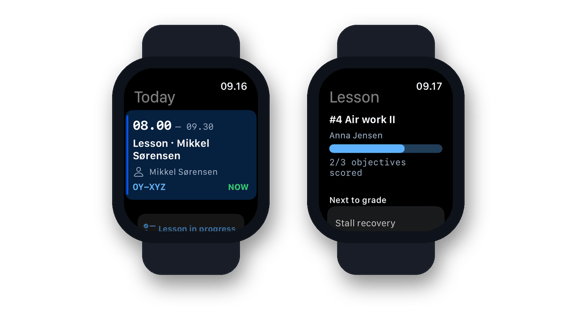
Apple Watch: The Next Lesson, on Your Wrist
On Apple Watch, OY Wings shows your next lesson and aircraft at a glance, and how the lesson in progress is going. You know where you need to be without reaching for your phone.
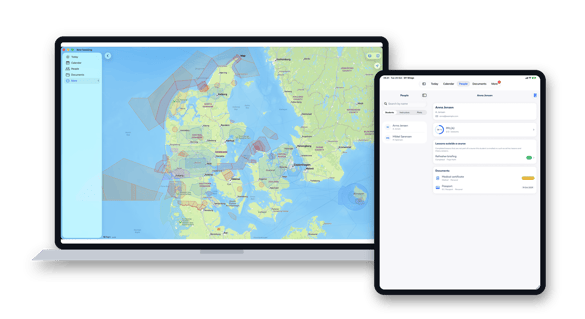
iPad and Mac: The Briefing Room and the Office
On iPad, every student's progress and the lesson being graded sit on one large screen, with room to talk it through after the flight.
On Mac, the full app runs on the desk, with airspace and live traffic on the big screen and the space to plan the week, the fleet and its maintenance.
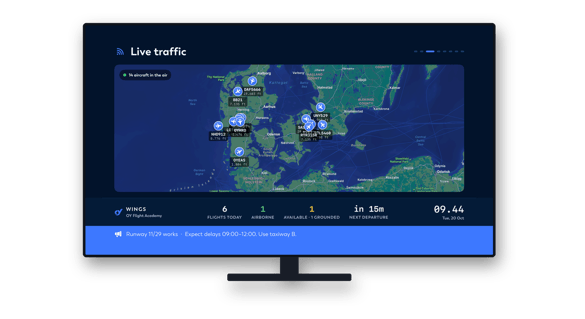
Apple TV: A Live Board for the Crew Room
On Apple TV, OY Wings turns the crew room screen into a live board that rotates through the day:
- Departures and roster: today's flying and who is on it.
- Fleet status: which aircraft are flying, available or grounded.
- Live traffic and weather: aircraft in the air around you, with the latest METAR and TAF.
- Milestones and safety: first solos, completed courses and days since the last incident.
Also in the Apps
- Home screen widgets for what's next.
- Push notifications for the updates that matter to you.
- Seven languages, so instructors and students work in the language that suits them.
- Airspace maps that work offline, downloaded once for your country.
Ready When You Are
The OY Wings apps are free for OY Wings customers. Download them from the App Store and sign in with your existing account.
👉 Find OY Wings on the App Store